
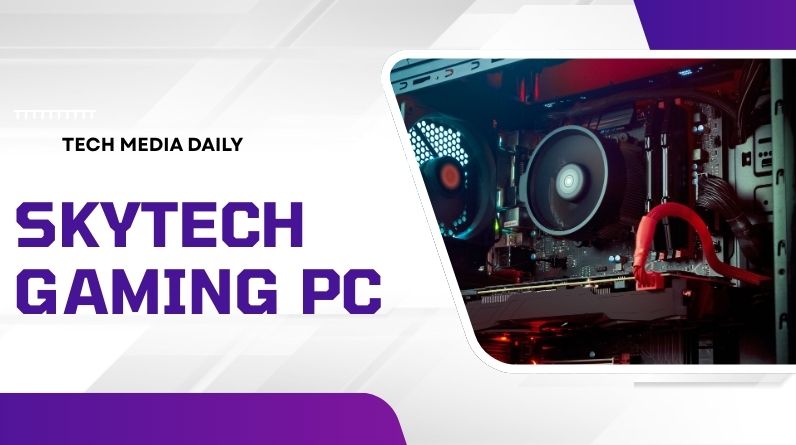
- Skytech Gaming PCs are prebuilt systems designed for gaming, streaming, and content creation across multiple budgets.
- They use standard components, making upgrades and long-term maintenance easier than many proprietary systems.
- Performance varies widely by model, with options for 1080p, 1440p, and full 4K gaming.
- The real value lies in component balance, cooling quality, and upgrade headroom—not just raw specs.
- Understanding power supply, airflow, and storage planning helps buyers avoid common prebuilt mistakes.
What is Skytech Gaming PC?
A Skytech Gaming PC is a prebuilt desktop computer assembled specifically for gaming performance using modern consumer-grade components. These systems come ready to use out of the box, typically including a dedicated graphics card, high-speed memory, fast NVMe storage, and Windows preinstalled.
Unlike many mass-market desktops, Skytech systems are built using standardized parts such as ATX motherboards, branded power supplies, and widely available GPUs and CPUs. This approach allows users to upgrade components over time rather than replacing the entire system.
Models range from entry-level configurations for esports titles to high-end systems capable of running modern AAA games at ultra settings, supporting high refresh rate monitors, ray tracing, and demanding creative workloads.
The Real Advantage: Standard Components and Upgrade Freedom
Many prebuilt gaming PCs use proprietary parts that limit upgrades. One of the strongest practical advantages of a Skytech Gaming PC is its use of industry-standard hardware.
Why this matters long-term
- Graphics cards can be replaced as new generations release
- Storage can be expanded without special adapters
- Memory upgrades are straightforward
- Standard cases support improved cooling or aesthetics
- Power supplies can be upgraded for higher-end GPUs
This flexibility turns a prebuilt system into a long-term platform rather than a short-term purchase.
Performance Tiers: Choosing the Right Level for Your Needs
Skytech offers multiple performance tiers. The key to smart buying is matching the system to your target resolution and game type.
Entry-Level (1080p Gaming)
Ideal for competitive titles and lighter games such as shooters, battle royale, and esports. Look for:
- RTX 4060 / RX 7600 class GPU
- 16GB RAM
- 1TB NVMe SSD
Midrange (1440p Gaming)
This is the sweet spot for most gamers. Expect:
- RTX 4070–4070 Ti or equivalent
- 32GB DDR5 RAM
- Strong CPU for streaming and multitasking
High-End (4K and Content Creation)
Designed for ultra settings, ray tracing, and heavy workloads:
- RTX 4080 / 5080 class GPU or equivalent
- High-performance gaming CPUs
- Advanced liquid cooling
- High-wattage Gold-rated power supply
Choosing a higher tier than your monitor supports often wastes budget. Match your system to your display resolution first.
Cooling and Airflow: The Hidden Performance Factor
Many buyers focus only on CPU and GPU specs, but cooling plays a major role in real-world performance and system lifespan.
What to look for
- Multiple case fans for consistent airflow
- Mesh or ventilated front panels
- Liquid cooling for high-end CPUs
- Spacious cases that prevent heat buildup
Proper cooling prevents thermal throttling, keeps noise levels lower, and extends component durability.
Power Supply Quality: The Most Overlooked Component
The power supply determines system stability and future upgrade potential. A strong GPU upgrade often requires additional power headroom.
Recommended standards
- At least 750W for midrange systems
- 850W or higher for high-end GPUs
- 80+ Gold efficiency rating
- Reputable branded units rather than generic models
Choosing a system with a high-quality PSU now can save money when upgrading later.
Storage Planning: Avoid the Most Common Limitation
Modern games regularly exceed 100GB each. Many buyers underestimate how quickly storage fills up.
Best practices
- 1TB is a minimum for casual gaming
- 2TB is ideal for larger libraries
- Ensure extra M.2 or SATA slots are available
Because Skytech systems typically use standard motherboards, expanding storage later is simple.
Beyond Gaming: Streaming, Editing, and Multitasking
A modern Skytech Gaming PC can handle more than gaming alone.
Common secondary uses
- Game streaming and content creation
- Video editing and rendering
- 3D design and animation
- Productivity with multiple monitors
Systems with 32GB RAM and multi-core CPUs perform significantly better for these workloads.
Design and Build Quality Considerations
Skytech systems are known for visually appealing builds, but design also affects usability.
What good design should include
- Tempered glass panels for easy inspection
- Clean cable management for airflow
- Front USB-C and high-speed ports
- Accessible interior for upgrades
A well-organized build not only looks better but also improves cooling and maintenance.
Common Misconceptions About Prebuilt Gaming PCs
“Prebuilt systems are always overpriced”
While this was often true in the past, current component pricing and assembly costs mean many prebuilts offer competitive value, especially when factoring in warranty and setup time.
“You can’t upgrade a prebuilt”
Systems built with standard parts are fully upgradeable, including GPU, RAM, storage, and cooling.
“RGB means lower quality”
Lighting is purely aesthetic. Build quality depends on internal components and airflow design.
How to Choose the Best Skytech Gaming PC for Your Budget
- Set your target resolution (1080p, 1440p, or 4K)
- Allocate most of your budget to the GPU
- Choose at least 16GB RAM (32GB preferred)
- Ensure the power supply supports future upgrades
- Check case airflow and cooling configuration
- Confirm upgrade slots for storage and memory
This approach ensures balanced performance rather than overspending on unnecessary features.
Who Should Buy a Skytech Gaming PC?
- Gamers who want plug-and-play performance
- Users who don’t want to build a PC from scratch
- Content creators needing a powerful workstation
- Buyers planning future upgrades without full replacement
Final Takeaways
A Skytech Gaming PC is best viewed as a performance platform rather than a fixed configuration. The real value comes from balanced components, strong cooling, and upgrade flexibility. When chosen carefully based on resolution needs and long-term plans, these systems can deliver several years of high-end gaming without major replacement costs.
Frequently Asked Questions
Is a Skytech Gaming PC good for beginners?
Yes. These systems arrive fully configured and tested, making them ideal for users who want a hassle-free setup.
Can I upgrade the graphics card later?
Most models support GPU upgrades, provided the power supply and case space are sufficient.
How much RAM do I need?
16GB is the minimum for modern gaming, but 32GB is recommended for streaming, multitasking, and future-proofing.
Is liquid cooling necessary?
Not always. Air cooling works well for midrange systems, but high-performance CPUs benefit from liquid cooling for better thermal control.